How to Define Geofence Boundary Rules Before Equipment Telematics Alerts Conflict with Site Logistics
Without written geofence boundary rules, equipment telematics platforms generate alerts that contradict site logistics plans and erode operator trust in the data.
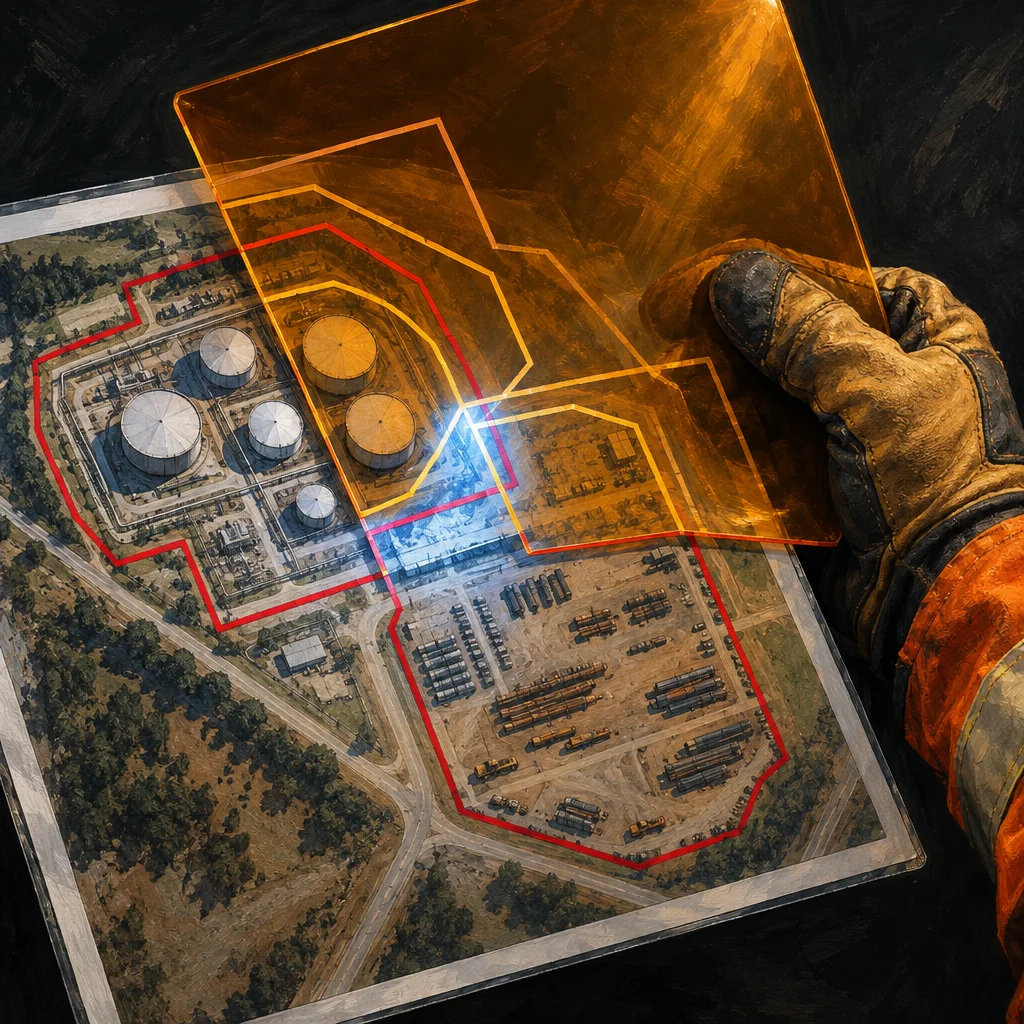
Equipment telematics platforms promise real-time visibility into where machines are working, idling, and traveling. That promise depends entirely on how well the geofence boundaries in the system reflect actual site conditions. When those boundaries are drawn arbitrarily, or copied from a site plan that no longer matches the field, the alerts the platform generates start working against the people who are supposed to use them.
This is a practical configuration problem, not a software defect. Solving it requires a short, written set of geofence boundary rules that the project team agrees on before the platform goes live, and updates whenever site conditions change significantly.
Why Default Geofence Setup Creates Problems
Most telematics platforms allow administrators to draw geofence polygons on a map interface and assign alert triggers to those zones. Entry, exit, speed thresholds, and hours-of-operation alerts are common options. The default assumption is that whoever draws the boundaries understands the operational intent behind them.
On active construction sites, that assumption breaks down quickly. Staging areas shift. Haul routes change when earthwork sequencing adjusts. Temporary access gates open and close. A boundary drawn during project mobilization may describe a site that no longer exists by the time the structure goes vertical.
When the boundary is wrong, operators receive alerts for normal work. A loader moving through a correctly designated haul corridor triggers an out-of-zone notification because the corridor was never added to the approved zone. A superintendent dismisses the alert. Then dismisses the next one. Within a few weeks, the alert feed becomes background noise, and the platform loses its ability to flag movement that actually warrants attention, such as equipment drifting toward a shoring edge or entering a restricted excavation area.
What a Written Geofence Boundary Rule Set Should Cover
The goal is not a lengthy policy document. A short written rule set that answers the following questions is sufficient for most projects.
Who has authority to draw and modify boundaries? This is the most important question. If any project team member can edit geofence polygons without approval, boundaries drift out of sync with site logistics plans. Designating one role, often the site superintendent or equipment manager, as the boundary authority creates a single point of accountability. Changes should require that person's sign-off, and ideally a brief log entry explaining why the boundary changed.
How closely should boundaries follow the actual operational envelope? A common mistake is drawing boundaries too tightly around the physical footprint of a work zone. Equipment that operates at the edge of a permitted area will trigger repeated alerts simply because of normal positioning variation and GPS accuracy limits. A practical suggestion is to apply a small buffer inside the outer edge of any alert threshold, sized to the equipment type and the GPS precision of the platform. This reduces false positives without creating meaningful blind spots.
Which zones require entry alerts, which require exit alerts, and which require both? Restricted zones around active utilities, crane swing radii, or confined spaces typically need entry alerts. Equipment storage and fueling areas may only need exit alerts to track unauthorized removal. Applying both alert types everywhere generates volume that overwhelms reviewers. The written rules should specify alert type by zone category.
How often are boundaries reviewed, and what triggers an unscheduled review? A standing review cadence, such as a monthly check against the current site logistics plan, prevents boundaries from drifting too far from reality. Unscheduled reviews should be triggered by any change to haul routes, staging areas, excavation limits, or site access points. Tying boundary reviews to the site logistics plan update process keeps them connected to decisions the team is already making.
Who receives which alerts? Alert routing is technically separate from boundary configuration, but the two decisions interact. A well-drawn boundary that sends alerts to people who have no ability to act on them produces the same outcome as a poorly drawn boundary. The written rules should map zone categories to alert recipients by role, not by individual name, so the routing holds through personnel changes.
Connecting Geofence Rules to the Site Logistics Plan
The most reliable way to keep geofence boundaries current is to treat them as a layer of the site logistics plan rather than a separate telematics configuration task. When the logistics plan is updated, boundary review becomes part of that update cycle.
For projects using BIM coordination, geofence zones can sometimes be derived from the site utilization plan model, with boundaries exported as coordinates and imported into the telematics platform. Whether that level of integration is practical depends on the platforms involved, but even a manual comparison between the current site logistics drawing and the telematics map at each logistics plan revision is far better than treating boundaries as a set-and-forget configuration.
A Note on Multi-Contractor Sites
When multiple subcontractors operate equipment under different telematics platforms on the same site, geofence boundary rules become a coordination item rather than a single-company configuration task. The general contractor or construction manager should define the site-wide zone categories, share the boundary coordinates with each subcontractor's telematics administrator, and establish which alerts feed into shared safety or logistics reporting.
Without that coordination, two platforms may have adjacent zones drawn with conflicting boundaries, generating contradictory alert histories that are difficult to reconcile if an incident triggers a review of equipment movement records.
Before the Platform Goes Live
If a telematics platform is being deployed on a new project, the geofence boundary rule set should be drafted as part of the pre-mobilization configuration checklist, alongside user role setup, alert threshold calibration, and ERP cost code mapping. A suggested sequence is to draft the zone categories based on the site logistics plan, assign alert types to each category, designate the boundary authority, draw the initial polygons, and then walk the boundaries against the physical site before the first equipment arrives.
That final field check is often skipped because the map interface looks convincing. GPS coordinates and aerial imagery do not always match temporary construction conditions. A brief physical verification catches alignment problems before they generate a stream of false alerts and undermine the team's confidence in the platform.
Geofence boundaries are not a one-time setup task. Treating them as living configuration that tracks with site conditions is what separates a telematics platform that supports operations from one that produces noise the field learns to ignore.